Redesigning tax hell: making a hated funnel human
TL;DR
Problem
Filing taxes is a confusing, stressful nightmare for freelancers. The client wanted an online solution, but bureaucratic forms and jargon constantly overwhelmed users.
My role
I led the UX and content strategy end-to-end, proposed specific UI changes, and led both client and consulting teams through execution.
Solution
I made the form more human with a conversational avatar, chunked the form to lower perceived effort, and made every line of copy as clear and human as possible.
Outcome
The redesigned funnel is currently rolling out, with completion data expected after the upcoming tax deadline.
The problem
For freelancers and small business owners, filing taxes is a bureaucratic nightmare. Confusing, stressful, and packed with forms no normal person understands. The client wanted to kill this pain by letting users file their return online, with expert review and submission handled for them.
My job was to take the one digital chore people hate most and turn it into something manageable, maybe even pleasant.
My role
I led the UX and content strategy from start to finish: information architecture, conversational UI, and upselling strategy. I was also the main bridge for the project, managing the client's stakeholders while leading our internal consulting team so the vision was executed as well as possible.
Humanizing the funnel
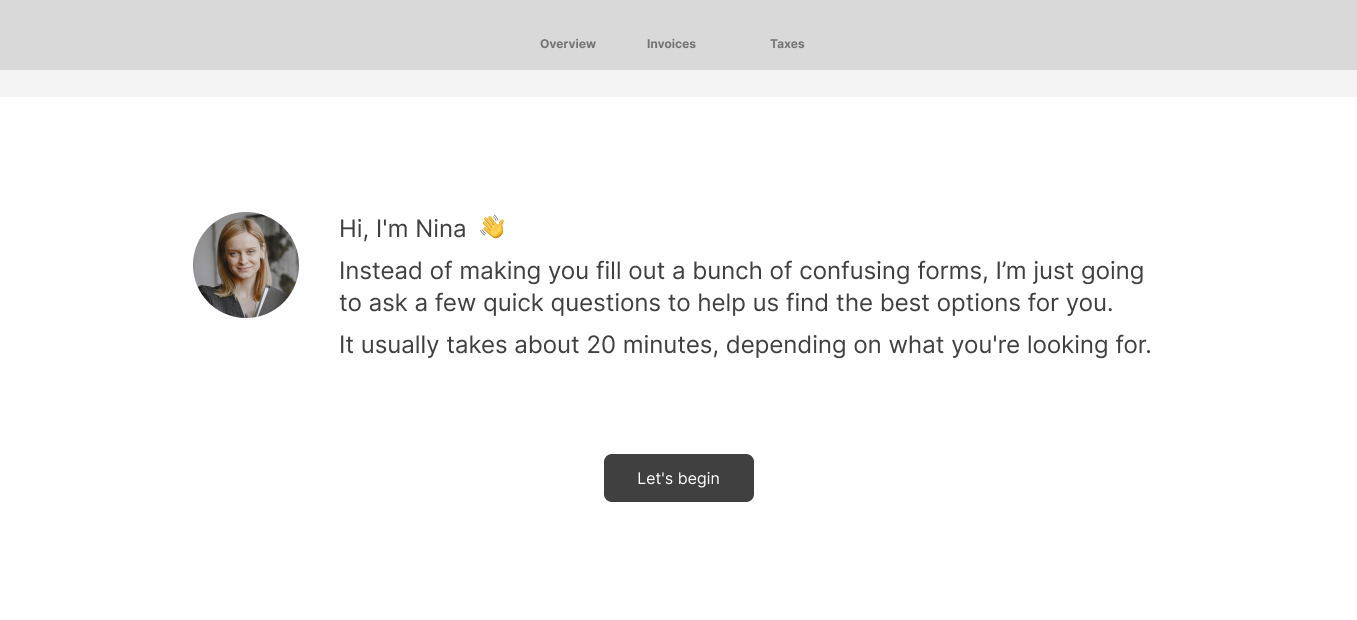
Humans aren't built for empty input fields; we're built for conversation. To remove the coldness, I wanted users to feel like they were talking to a patient, friendly expert at a local bank branch. So I introduced Nina.
She's not AI or a chatbot. She's a simple visual avatar who welcomes you and guides you through the whole process. I wrote Nina's copy to sound like a casual chat. She adds quick context, explains why we need annoying data, and instantly makes the experience feel personal.
Crushing perceived effort
In product design, perceived effort is everything. If a screen looks like too much work, users close the tab.
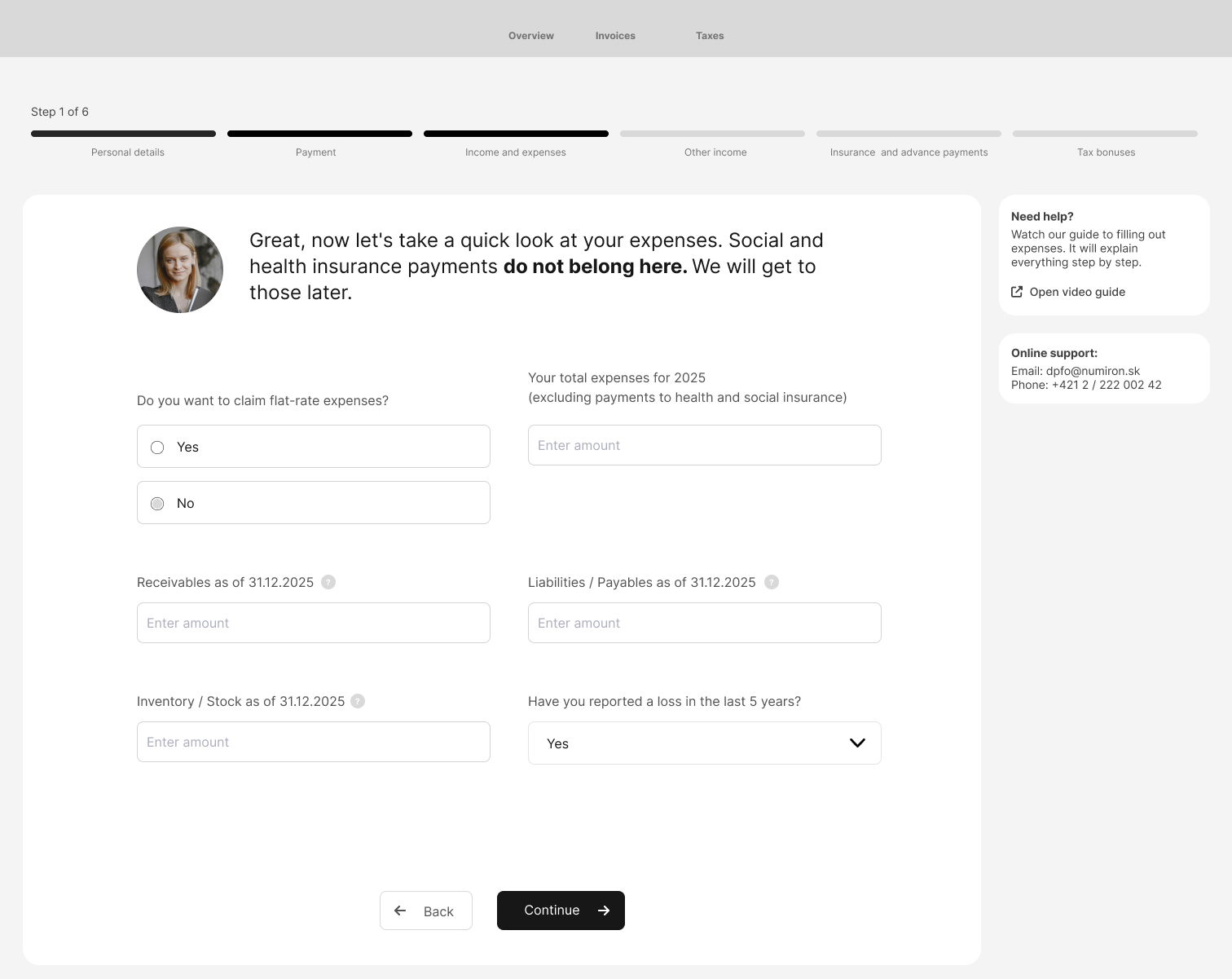
The original interface crammed every income type onto one page. Clicking a checkbox triggered multiple sub-questions to pop up underneath, creating chaos. I used chunking to fix it, splitting each income type onto its own screen so users could focus on one action at a time.
I also stripped out a live tax-overview panel that changed with every keystroke. It constantly triggered the pain of paying, making users anxious as they watched costs rise, even tempting them to fake data to lower the number. I replaced it with what actually helped: a quick video guide and a direct link to support.
Complications: when the client insists on friction
Not every battle ended in our favor. Competitors let users enter just the sum of all their insurance payments in one go. Our client refused. They insisted users record each payment separately. In their view, the accounting-correct way.
We pushed back, showed them how the competition handles it, and warned that this was major friction mid-funnel: they had to expect drop-off at this exact step. The client understood the trade-off and made the call anyway. So we turned the friction to our advantage. The most annoying step became the perfect moment to sell the fix (see Step 4).
Eliminating uncertainty
In fintech, if a user gets confused for even a second, you lose them. Short form labels don't cut it with tax law. To keep users from guessing, I designed plain-English tooltips and microcopy definitions for complex terms. Instead of leaving "receivables" a mystery:
"These are amounts owed to you. Enter the total value of invoices you've sent but haven't been paid for yet."
Selling upgrades without being pushy
The platform is free, but offers a paid plan that automates bookkeeping to make future filings faster. Instead of annoying pop-ups, I designed a contextual upsell strategy: tease the benefits at the start, then bring them up again when friction is highest.
When a free user reached the screen to manually enter insurance payments, Nina dropped a well-timed tip:
"With our paid plan, this step happens automatically."
By showing the value exactly when they felt the annoyance of manual entry, the upgrade felt like a feature, not a sales pitch.
What I learned
A small-company CEO is a stubborn stakeholder. Also the best one you can get. Some things take more convincing, but only because they actually care about the product. And once you agree, things move fast. If something needs doing, it gets done.
But some things you won't push through, even when the UX case is solid. That's where I learned to have the harder conversation: this is what the user loses, and this is the churn we're likely paying for it. My job wasn't to get my way. It was to make sure the decision was made with open eyes.
The results
The redesigned funnel is rolling out right now. We'll have hard data and exact completion rates once the upcoming tax deadline passes.
Liked what you read and want to know more about how I work?
Get in touch